Designing an AI Colour Tool That Gives Non-Designers an Accessible Brand Palette
Choosing brand colours is one of the first design decisions a founder makes, and one of the easiest to get wrong. I designed and built AI Brand Colors to replace guesswork with a short guided wizard, generative AI, and accessibility checks that run behind the scenes.
- Role
- Product design, UX, front-end build
- Platform
- Web (Next.js)
- Audience
- Founders, freelancers, small businesses
- Focus
- AI UX, accessibility, onboarding
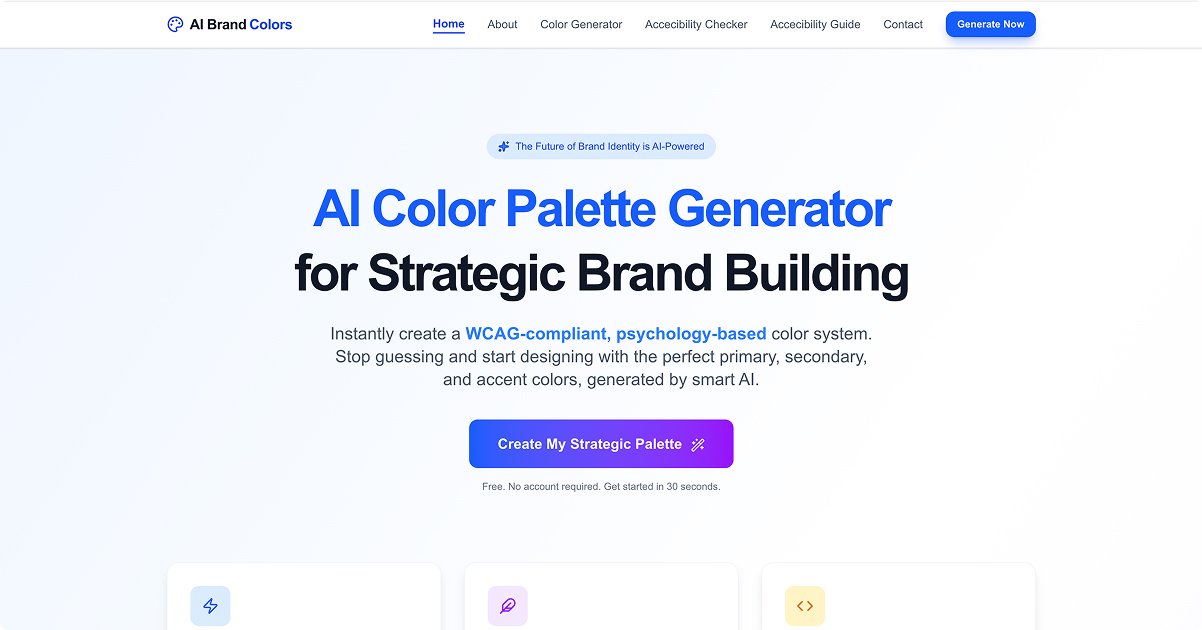
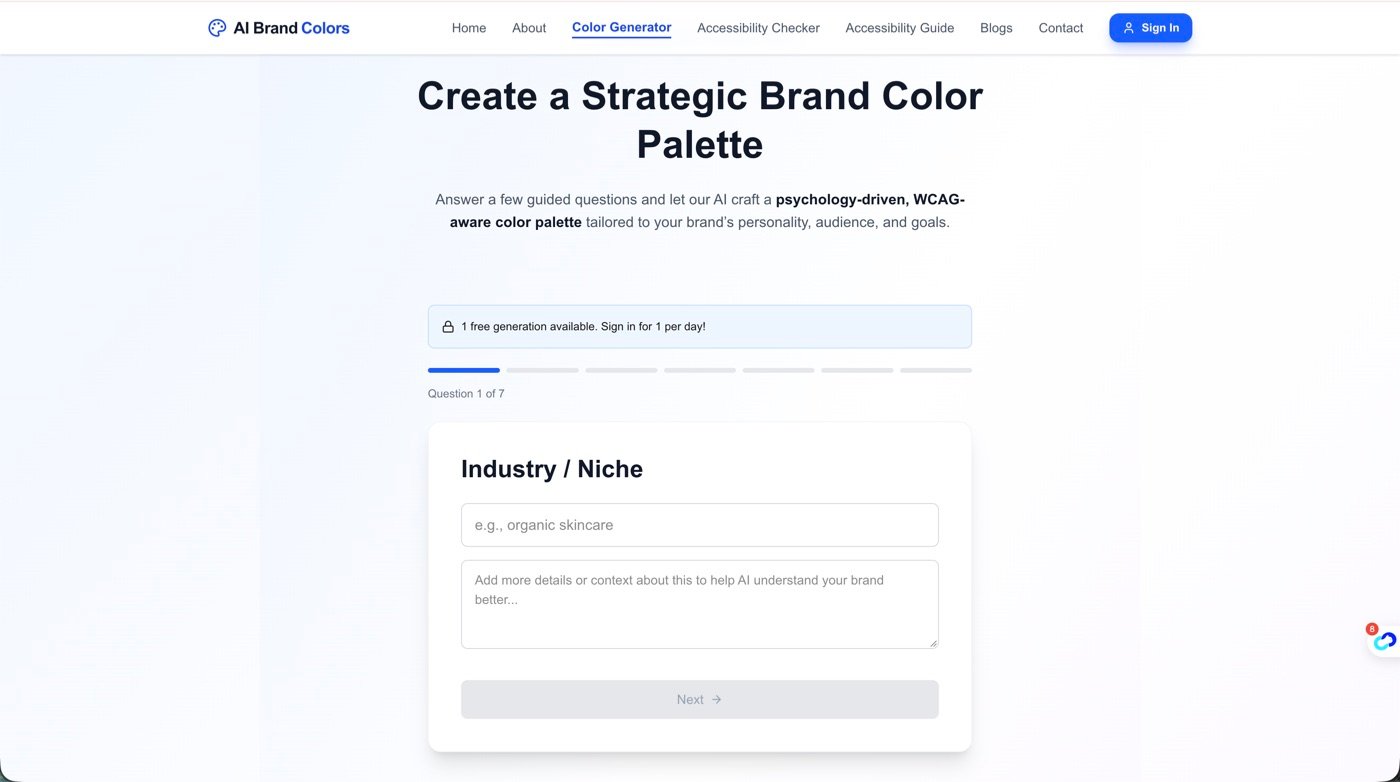
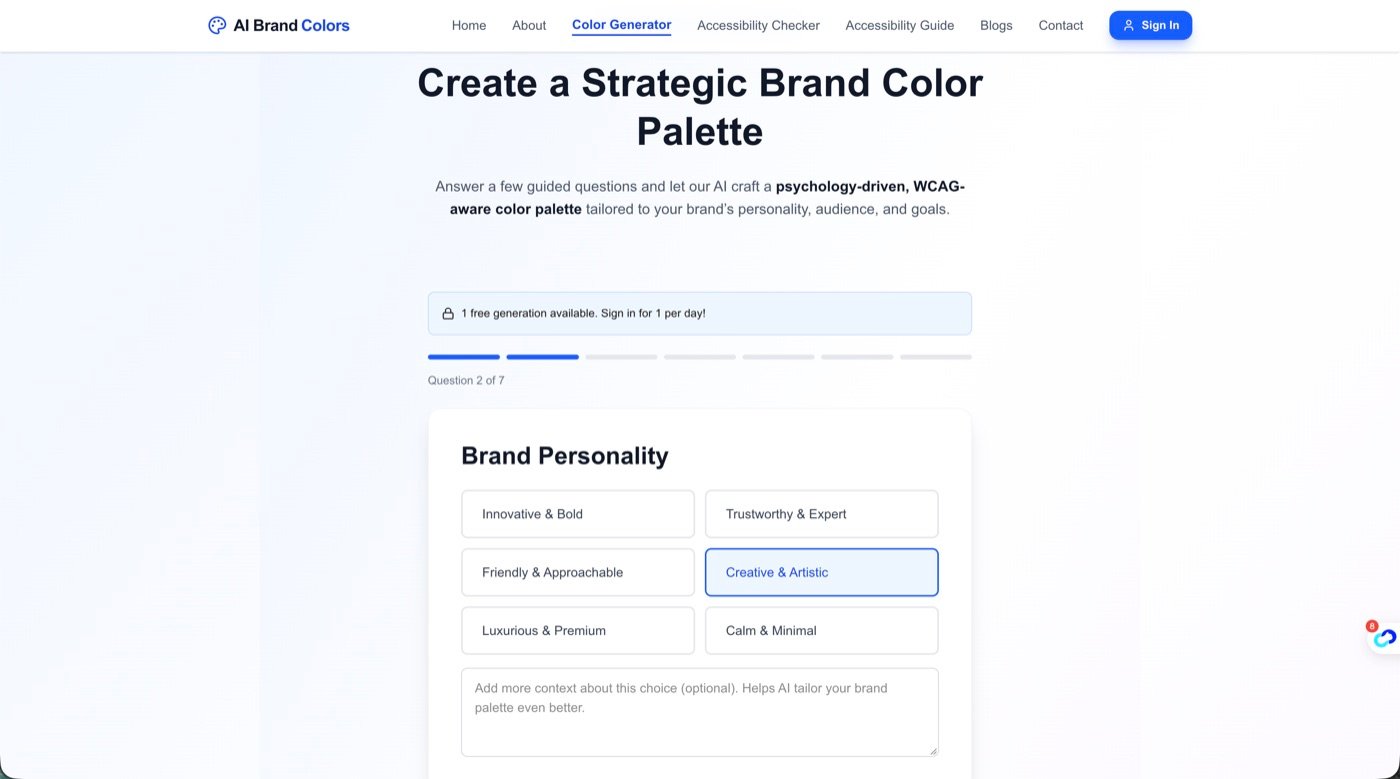
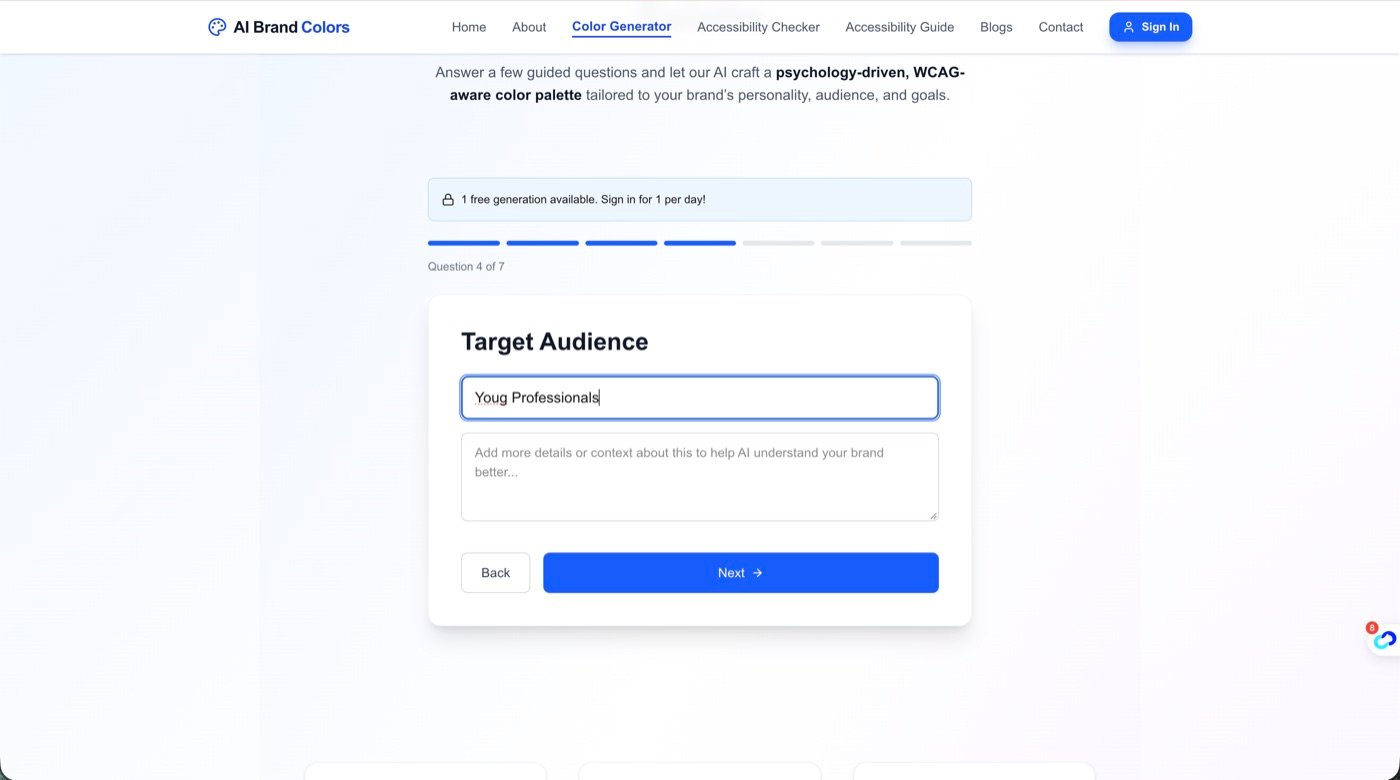
One question per screen, a seven-step progress bar, curated options for the hard questions and an optional context box for anyone who wants to add detail.
The Problem
1. Palette tools assume design knowledge
Most colour generators hand you a colour wheel and a hex field. A non-designer cannot judge harmony, hierarchy or brand fit from that.
2. Accessibility is invisible until it fails
Business owners rarely know what WCAG contrast ratios are. They discover low-contrast buttons and unreadable text after launch.
3. A generic AI prompt returns generic colours
Typing “blue brand colours” into a chatbot produces a list, not a system. Users still don’t know which colour is for the button, the background or the text.
Who It's For
- Entrepreneurs
Launching a brand and needing a credible palette without hiring a designer first.
- Business owners
Refreshing a site, deck or packaging and wanting colours that match the brand’s tone.
- Freelancers
Delivering fast, defensible colour choices to clients, with reasons attached.
Key Design Decisions
Ask about the brand, not about colours
The wizard asks seven plain-language questions: industry, personality, emotional goal, target audience, contrast preference, accent purpose and colours to avoid. Users answer what they know about their business; the tool handles colour theory. One question per screen with a progress indicator keeps the effort low.
Make contrast a choice with human labels
Instead of “AA / AAA”, the contrast question offers High (Accessible), Moderate (Balanced) and Low (Soft). Accessibility becomes a preference people can understand, and the default path nudges towards readable results.
Constrain the AI with structured output
The generative model returns a fixed schema: a palette name plus colours, each with a role, a name, a hex code and a rationale. Structured output means the UI never has to guess, and every swatch can be labelled primary, secondary, accent, neutral or text.
Explain every colour
Each swatch carries a one-line rationale tied to the user’s answers. For non-designers, the “why” is what builds trust in the result and gives them language to defend it to a co-founder or client.
Back the wizard with free accessibility tools
A standalone WCAG contrast checker and an accessibility guide sit next to the generator. Users can validate colours they already use, which also gives the product a second way in.
The Core Flow
- 1
Describe the brand
Seven short questions, one at a time, mixing free text and curated options.
- 2
AI generates a role-based palette
Colours come back as UI roles, not an unlabelled list.
- 3
Review the reasoning
Each colour shows its name, hex value and why it fits.
- 4
Check accessibility
Use the contrast checker to validate text and background pairings.
- 5
Take it into design
Copy hex codes into Figma, a website builder or brand guidelines.
Outcome
- A live, public product at aibrandcolors.com that non-designers can use without signing up for design tools.
- A repeatable pattern for AI products: guided questions in, structured and explained output back.
- Accessibility built into the default path rather than left as an advanced option.
- A content and tool ecosystem (generator, contrast checker, accessibility guide, colour-theory articles) that supports organic search.
This is a self-initiated product. I am deliberately not quoting conversion or usage numbers here until they are verified from analytics.
FAQ
What is AI Brand Colors?
AI Brand Colors is a free web tool that uses generative AI to create a brand colour palette from a short questionnaire about your business, with accessibility and contrast built in.
Who designed AI Brand Colors?
It was designed and built by Abhijeet Sarswat, a senior UI/UX designer and the founder of UX Mate.
Do I need design experience to use it?
No. It was designed for entrepreneurs, business owners and freelancers who are not designers; you answer questions about your brand instead of picking colours.
Does it consider accessibility?
Yes. You choose a contrast preference during the wizard, and the site includes a free WCAG contrast checker and an accessibility guide.